Facebook orders, courier parcels and stock in one place
Orders come in on Messenger, parcels go out with Steadfast, Pathao or RedX, and the money comes back as COD weeks later. Bisnesy keeps the order, the parcel, the stock and the customer's ledger together, so returns and unpaid COD stop disappearing into spreadsheets.
7 days free · no payment · we import your products
- Courier file → real orders
- Book parcels from the bill
- Buyer fraud check
- Online store included
How do I manage f-commerce orders and courier returns in Bangladesh?
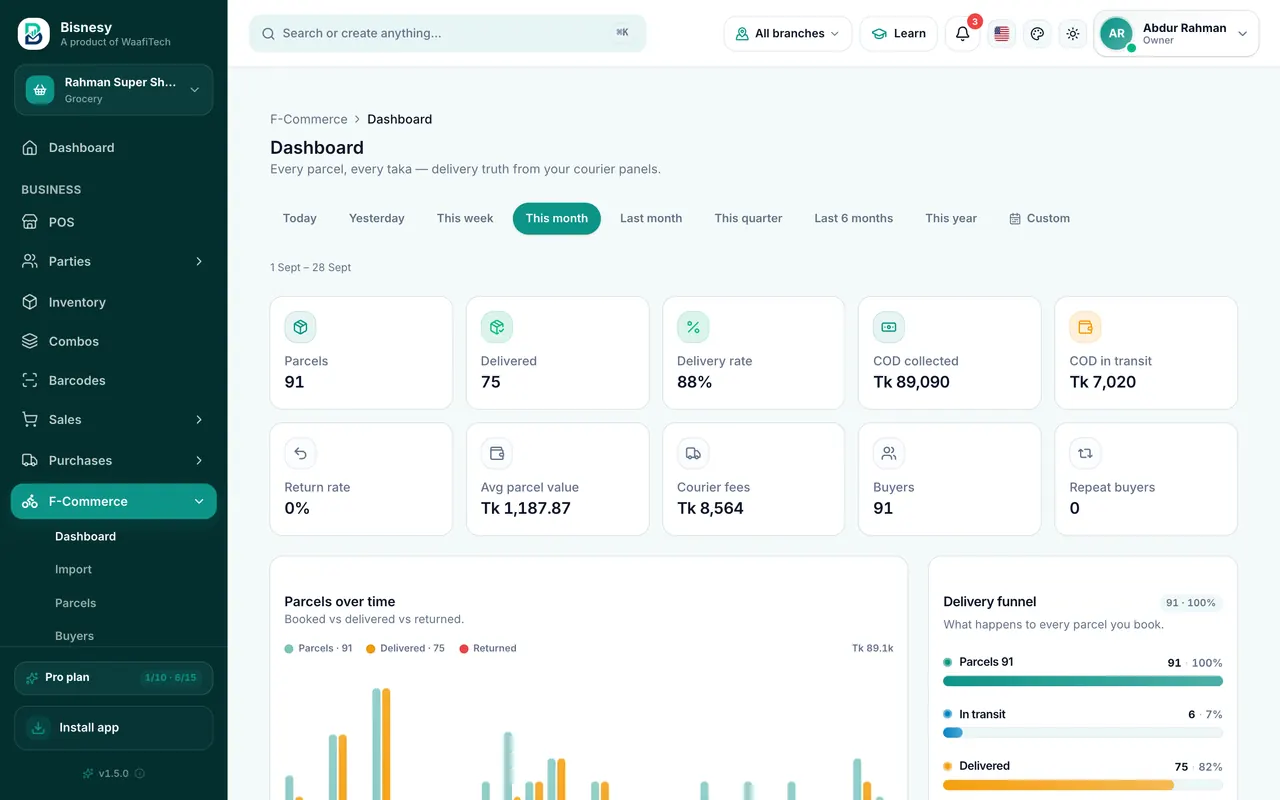
In Bisnesy you import the parcel file from your courier (or book Steadfast, Pathao and RedX parcels straight from the bill with your own courier account) and each parcel becomes a real order against the customer and your stock. Delivery status comes back from the courier, so delivered, returned and cancelled parcels, COD due and return rates are counted per customer and per product. Before shipping, a fraud check shows the buyer's delivery-success rate.
Where a page shop loses money
The order is in Messenger, the stock count is in a notebook, the parcel is in the courier's app and the COD is in a bank statement. When a parcel comes back, the item often goes back on the shelf without anyone adding it to stock, and the delivery charge is simply lost.
The repeat returner is the worst of it: the same number orders, refuses at the door, and orders again. Without a record across couriers, every new order from that number looks like a good one.
From a Messenger order to money in the bank
- 1
Take the order
Make the bill at the till or in Orders; the customer's number links it to their history.
- 2
Check the buyer
The fraud check shows their delivery-success rate from your parcels and every connected courier.
- 3
Book the parcel
Steadfast, Pathao or RedX, from the bill, with your own courier account (Pro).
- 4
Follow it
Status comes back by itself: delivered, returned or cancelled.
- 5
Settle COD
See what each courier still owes you, and what came back to stock.
Courier files become orders
Already shipping? Import your courier's parcel or parcel-list file. Each line becomes an order with customer, address, amount and consignment number, kept against the same customers and stock as your shop sales.
A delivery record for every buyer
Before you pack, look the number up. The speedometer shows how often this buyer actually accepts parcels, from your own history and from every courier you have connected.
Your own online store
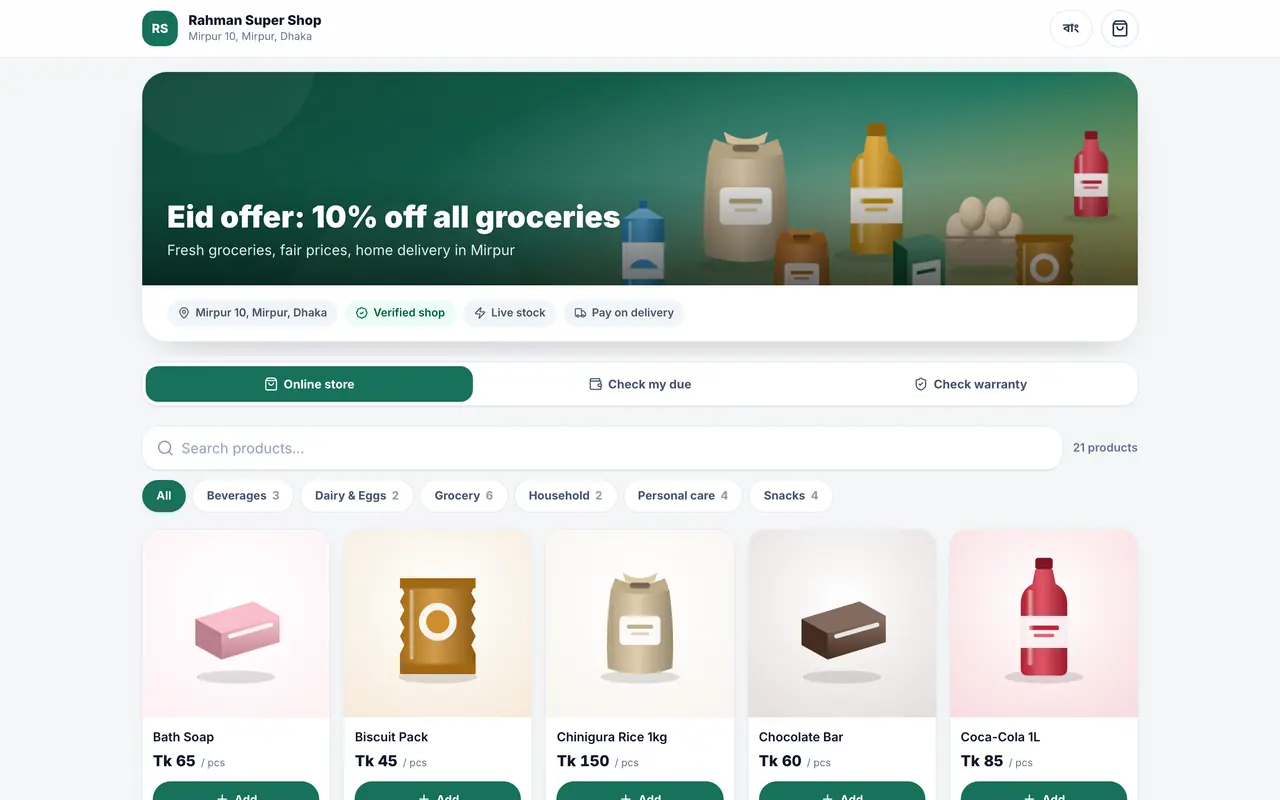
Turn on a public shop page with live prices and stock, variants, combos and coupon codes. Customers order with their mobile number and you move the order from new to delivered, then turn it into a sale.
Delivery analytics that match your books
Delivered, returned and cancelled rates by period, product and customer, and courier COD projections in the cash-flow forecast.
Built for
- Facebook page shops
- Instagram and WhatsApp sellers
- Shops that sell in store and online
- Brands shipping all over Bangladesh
What Bisnesy doesn't do
Worth knowing before you choose.
- It does not read your Messenger inbox or reply to customers for you.
- Courier booking works with Steadfast, Pathao and RedX accounts you already have; other couriers are by file import.
- Courier charges are the courier's; Bisnesy does not collect COD on your behalf.
Run a shop like yours before you decide
Open a demo shop that is already full of products, customers and dues. Make a sale, give credit, take a payment and watch the stock and the profit change. It is your own copy, and nothing you do in it can go wrong.
- Grocery
- Pharmacy
- Wholesale
- Clothing
- Footwear
- Mobile & electronics
- Hardware
- Online seller
- Agro inputs
Switch to Bisnesy without starting your business from zero
7 days of every Pro feature, and we set it up with you: your products imported, your opening stock and dues entered, a setup call in Bangla. No payment, no setup fee, and a 30-day money-back guarantee when you pay.
Setup requests go straight to our team in Dhaka on WhatsApp.
7 days of every Pro feature
POS, stock, accounting, HR and every report unlocked. No payment, nothing to install.
We import your products
Send your list on WhatsApp: an Excel file, an export from your old software, or a photo of your register. We load it for you.
We enter your opening stock & dues
Your current stock and what customers and suppliers owe, entered for you, so day one already looks like your shop.
A free setup call in Bangla
One call with our team to set up your invoice, staff and payment accounts and bill your first sale together.
30-day money-back guarantee, no questions asked
Tell us within 30 days of your first payment that it isn't working for you, and we refund it in full. No questions, no forms.
No setup fee, ever
Many business-software vendors charge a setup or licence fee up front. We don't. You pay only the plan, from ৳499 a month.
What happens if you start today
- 1Today
Open an account in two minutes. No payment, no payment.
- 2Day one
Send your product list on WhatsApp and we load it. We bill your first sale together.
- 37 days
Run every Pro feature in your own shop, no strings.
- 4Then
Pick a plan if it works for you. Not working within 30 days? Full refund, no questions asked.
Every day on paper is a day of dues and missing stock you never get back. Start today and tomorrow the whole picture is yours.
Money-back guarantee: within 30 days of your first payment, tell us Bisnesy isn't working for you and we refund that payment in full within 5 working days. No questions asked. One refund per account.
Questions people ask
Which couriers are supported?
Steadfast, Pathao and RedX for direct booking and status updates. Other couriers' parcel files can be imported.
Do I need a website?
No. Each business can switch on its own online store page from Settings; you can also share product links on Facebook.
Does stock go back when a parcel is returned?
Yes, a returned parcel is taken back into stock against the same order, and the return shows in the customer's record.
Can I use it on my phone?
Yes. It runs in the browser on any phone, and the Android app works too.
Keep reading
Try it on today's sales.
Create your account, add a handful of products and bill your next customer through Bisnesy. Seven days free, no payment, cancel any time.