Billing without internet: how an offline POS actually works
A dropped connection in the rush hour should not stop sales. An offline POS holds bills on the device and sends each one exactly once when the line comes back. What to check, and what cannot work offline.
3 min read
Updated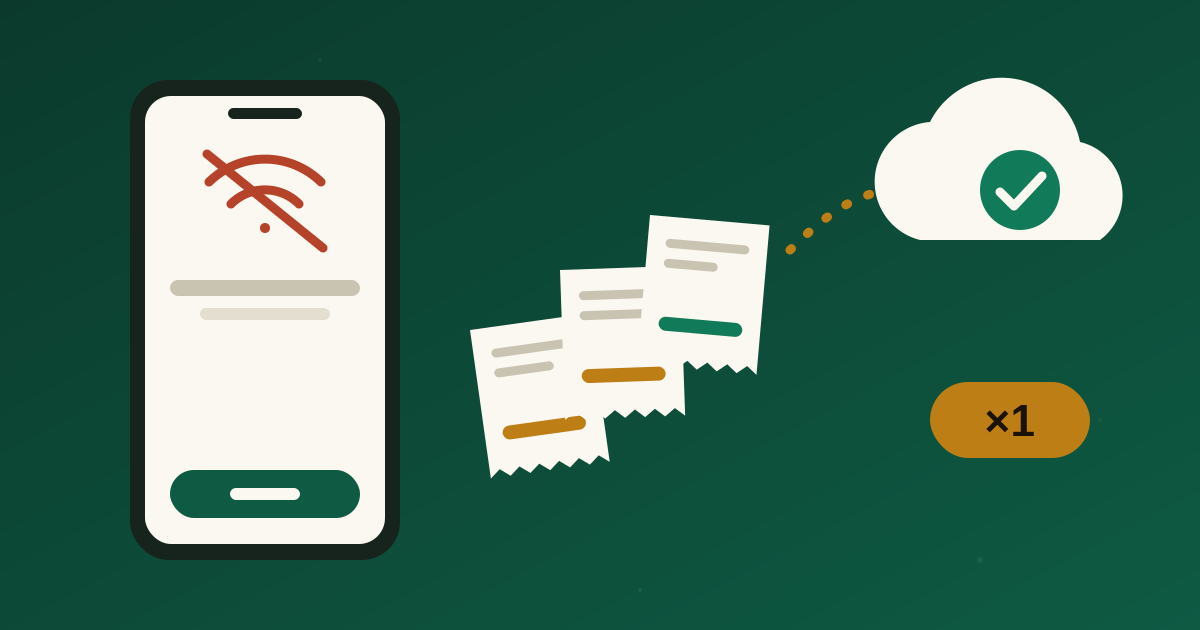
On this page
Short answer: an offline POS holds bills on the device when the connection drops and gives each bill its own reference. When the line returns the bills go to the server, and the reference means a bill is never posted twice.
The problem
Many cloud POS systems wait for the server to answer every bill. On a slow line the bill hangs; with no line it fails. The queue at the counter grows and customers walk away. Worst of all, the cashier taps "try again" and the same sale is recorded twice.
How offline billing works
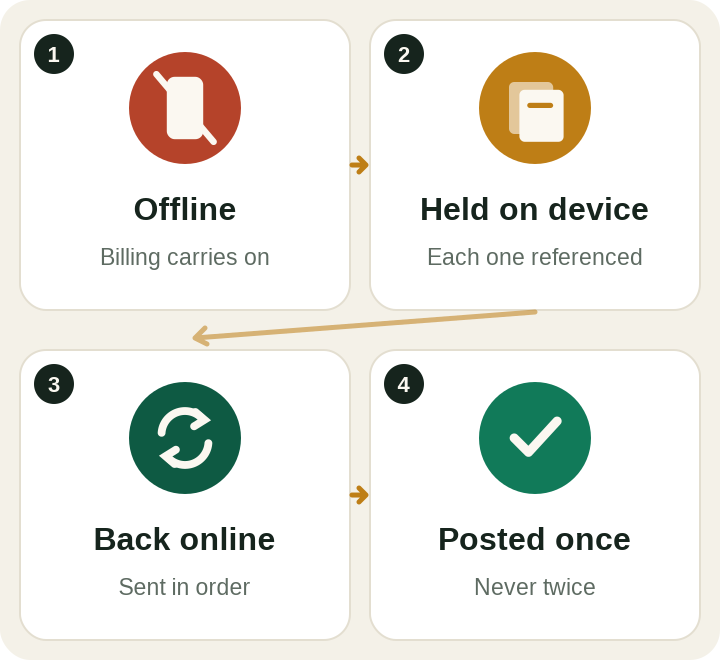
- The bill is held on the device. With no connection, the bill waits on the phone or PC and the receipt still prints.
- Each bill gets its own reference. It is stamped the moment it is created.
- Sent when the line returns. Waiting bills go to the server in order.
- Never posted twice. If a bill with the same reference arrives again, the server returns the original instead of recording a second sale.
What to test before you buy
- Turn off Wi-Fi, ring up three bills, turn it back on. Do sales show exactly three?
- Cut the connection again in the middle of syncing. Did any bill post twice?
- Can you see on screen how many bills are still waiting to send?
What does not work offline
Not everything is safe to do without a connection, and it is better to know which parts:
- Other devices' latest stock: two counters selling offline at once do not see each other's sales until they sync.
- SMS and courier booking: these need the internet; do them when it is back.
- Reports: business-wide reports read the server's latest data.
When the internet is mostly absent
If your shop's connection is weak most of the time, a desktop edition fits better: the whole database lives on your computer and syncs with the cloud whenever a connection is available.
Bisnesy's POS keeps billing when the internet drops. Bills are held on the device and sent once, with a duplicate-proof reference, when the connection returns. For a shop that runs offline most of the day, see Bisnesy Desktop.
Frequently asked questions
Can an offline bill be lost?
Bills wait in the browser's storage on that device. Clearing the browser's data or switching devices before they sync can lose them, so open the app once after the connection returns and let it sync.
Do receipts print offline?
Yes, as long as the printer is connected to the device.
How long can I stay offline?
Browser offline billing covers short outages. If you are without internet for days at a time, use the desktop edition.
- offline POS
- internet outage
- billing
- sync
- retail