Books that are always right
Every sale, purchase, payment and expense posts itself to double-entry books. The trial balance always balances, and every report reads from the same ledger, so the numbers agree with each other.
The counter sells a handset, a SIM for it, a recharge and a bKash cash-out — four lines of money in one bill. Bisnesy keeps every handset's IMEI, every SIM serial, the float per MFS channel and the commission on each of them.
7 days free · no payment · we import your products
From ৳499 a month after a 7-day free trial, paid by bKash. Call or WhatsApp: +880 1357 077525
Yes. The Telecom preset turns on serials (SIM serials and handset IMEIs with warranty), mobile recharge and agent banking: each bKash/Nagad/Rocket channel keeps its own float, moves against cash on each cash-in and cash-out, and commission books per transaction. A bill can hold the handset, the SIM and the recharge together. From ৳499 a month after a 7-day free trial, paid by bKash.
Three scratch-card books, forty SIMs and six handsets on the same counter, a wallet that disagrees with the drawer every night — and warranty claims arriving by IMEI from customers you can't find. Franchise trade lives and dies in these four lists.
Wallet float
At night the drawer and three wallets never agree.
?SIM and IMEI
Which SIM serial went with which handset is anyone’s guess.
?Recharge
Flexiload sits in yet another notebook.
?Wallet float
Each channel’s float moves against cash on every cash-in and cash-out.
SIM and IMEI
SIM serials and handset IMEIs are tracked one by one, with warranty.
Recharge
Handset, SIM and recharge go on one bill, with commission per transaction.
Keeping it in the khata: At night the drawer and three wallets never agree.
With Bisnesy: Each channel’s float moves against cash on every cash-in and cash-out.
Keeping it in the khata: Which SIM serial went with which handset is anyone’s guess.
With Bisnesy: SIM serials and handset IMEIs are tracked one by one, with warranty.
Keeping it in the khata: Flexiload sits in yet another notebook.
With Bisnesy: Handset, SIM and recharge go on one bill, with commission per transaction.
Wallets that balance, every serial traced, and recharge on the same bill as the handset.
See it in your own shop, 7 days freeEvery sale, purchase, payment and expense posts itself to double-entry books. The trial balance always balances, and every report reads from the same ledger, so the numbers agree with each other.
Each staff member signs in with their own login and only sees what you allow. Every change is logged with who made it and when. Download any report or list as PDF or Excel whenever you like.
Bangla from the first screen. Tap a product or scan with the phone camera, and the bill is done. The till is shown to you step by step on the first day.
The till keeps billing offline and syncs later, without ever posting a sale twice. Works on the phone, tablet and PC you already have.
| Khata | Excel | Bisnesy | |
|---|---|---|---|
| Stock goes down with every sale | Only by hand | ||
| Each customer's baki, with one-tap reminder | Only by hand | Only by hand | |
| Profit & loss without an accountant | Only by hand | ||
| Bill on a phone, even offline | |||
| Staff can't see what they shouldn't | |||
| Set up for you, free |
SIMs, scratch cards and handsets in with their codes.
Handset + SIM + recharge on the same invoice.
Each cash-out of bKash lowers that channel's balance.
Commission, float and stock agree by nightfall.
Pick your business type when you create your shop and Bisnesy switches these on and seeds these units for you. Everything stays editable in Settings — turn a feature on or off, rename a unit or add your own.
Default unit on a new product: Piece
Goods trade in pieces; agent work trades in transactions — recharge and cash-out are transaction lines, not stock. The Service unit covers odd jobs like SIM replacement or NID tagging.
The daily brief carries the commission earned on cards and recharges, the floats' closing balances, and the handsets sold or left.
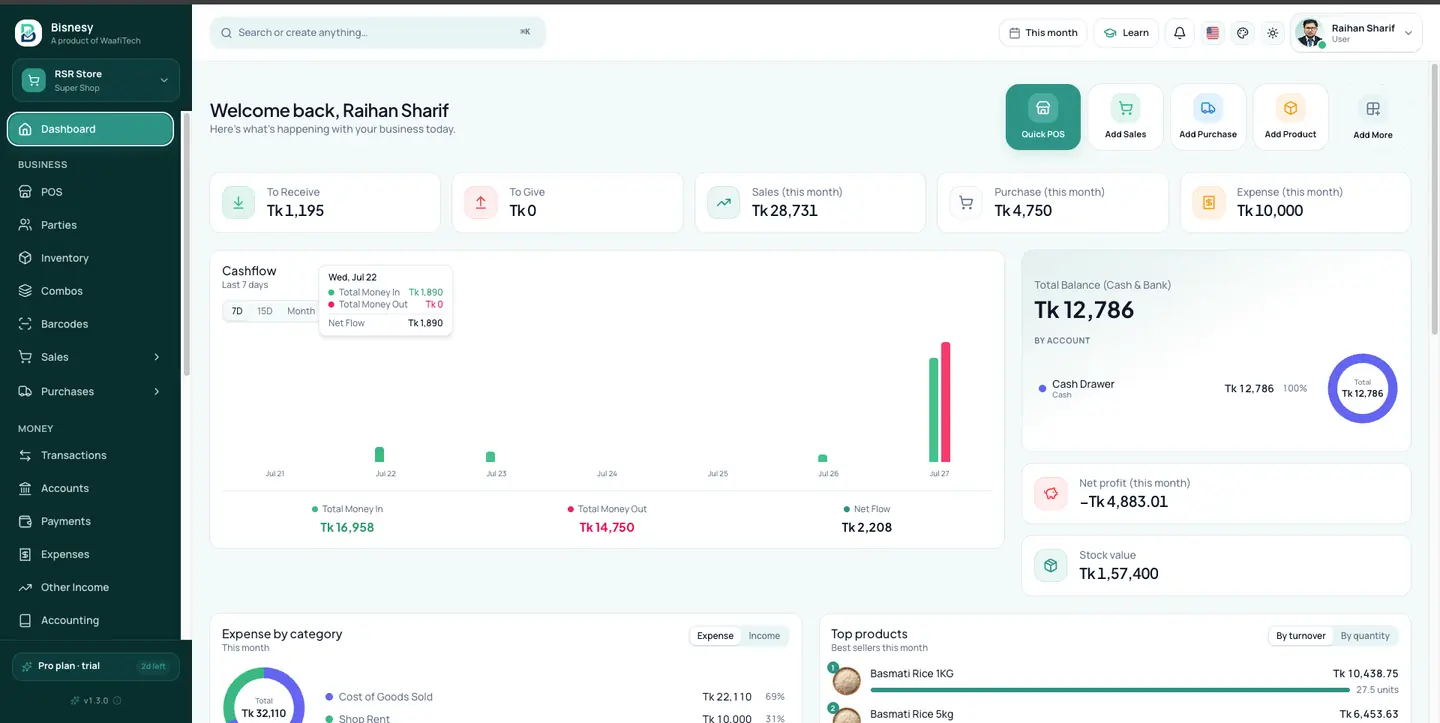
How a telecom franchise runs its day on Bisnesy, and what it reads at the month end.
Every telecom franchise business on Bisnesy gets the same intelligence layer: a dashboard that briefs you daily, forecasts with stated accuracy, and per-product answers. No add-on to buy.
32 tools and 45 reports, set up for this trade when you create your shop. Anything not on every plan says which plan it starts from, so there are no surprises after you pay.
Float per wallet, cash-in and cash-out, recharge and bill collection, each with its commission.
Bill on a phone, tablet or PC, in cash, bKash, Nagad, bank or due. Keeps billing without internet.
Generate, print and scan barcodes, including with a phone camera.
Print whole sheets of price labels for many products at once.
Sell several items as one; each part comes off stock.
A regular or wholesale customer gets their own price automatically.
Make discount codes and see how many were used and what they cost.
Units, variants, batches and serials, set the way your trade needs them.
Stock moves with every sale, purchase and return; counts and write-offs keep it honest.
Supplier bills at the real average cost, returns, and what you owe each supplier.
Stock per location, with transfers between them.
Bring products and customers in from a spreadsheet in one go.
Money in and out against bills, oldest first, across cash, bank and mobile wallets.
Rent, bills, salaries and the daily bazar, by category, into profit & loss.
Income that isn't a sale, recorded where it belongs.
Sales, purchases, payments and expenses, newest first, searchable.
Journals post themselves from your daily work; an accountant can read the books.
Owner's capital, bank or NGO loans with instalments, and fixed assets.
Every customer and supplier with their own ledger, ageing and statement.
Daily alerts to the owner for overdue dues, low stock, expiring batches and loan instalments.
Balance reminders, offers, and a text the moment a bill, booking or payment is made.
Regulars earn points on what they buy and use them later.
Monthly salaries, advances and payslips, into the same books.
Who came in, who is on leave, and the month's attendance per person.
A target per salesperson and how far along they are this month.
A public page with your products, live price and real stock. Customers add to a bag, pick a size or a combo, apply a coupon code and send the order — no app to install.
Every printed bill carries a QR that opens the verified bill on the customer's phone, and pages to check a due by mobile number or a warranty by serial / IMEI.
Import a courier's parcel list and it becomes real orders with addresses and amounts, then track delivered, returned and cancelled against the same customers and stock.
Book the parcel straight from the sale, check the customer's delivery record before you ship, and watch the status update by itself.
Every bill is tagged with where it came from — counter, your online shop, Facebook, WhatsApp — and a report compares them.
Remove a product photo's background with AI, compress and crop it, in the browser.
Social media posts and visiting cards from ready templates.
Worth knowing before you choose.
Open a demo shop that is already full of products, customers and dues. Make a sale, give credit, take a payment and watch the stock and the profit change. It is your own copy, and nothing you do in it can go wrong.
You don't need a setup call or a training day (we'll do a call free if you'd like one). Bisnesy walks a new shop through its first products and its first sale — on the real till, with real stock and real books.
Sign up, name your shop and pick its type. Units, accounts and tax are set up the right way for it.
Tap common items or type your own — just the name, the price and how many you have. Stock and its value go in with them.
The till shows you exactly where to tap. Stock comes down, the money lands in cash or bKash, and profit updates by itself.
7 days of every Pro feature, and we set it up with you: your products imported, your opening stock and dues entered, a setup call in Bangla. No payment, no setup fee, and a 30-day money-back guarantee when you pay.
Setup requests go straight to our team in Dhaka on WhatsApp.
POS, stock, accounting, HR and every report unlocked. No payment, nothing to install.
Send your list on WhatsApp: an Excel file, an export from your old software, or a photo of your register. We load it for you.
Your current stock and what customers and suppliers owe, entered for you, so day one already looks like your shop.
One call with our team to set up your invoice, staff and payment accounts and bill your first sale together.
Tell us within 30 days of your first payment that it isn't working for you, and we refund it in full. No questions, no forms.
Many business-software vendors charge a setup or licence fee up front. We don't. You pay only the plan, from ৳499 a month.
Open an account in two minutes. No payment, no payment.
Send your product list on WhatsApp and we load it. We bill your first sale together.
Run every Pro feature in your own shop, no strings.
Pick a plan if it works for you. Not working within 30 days? Full refund, no questions asked.
Every day on paper is a day of dues and missing stock you never get back. Start today and tomorrow the whole picture is yours.
Money-back guarantee: within 30 days of your first payment, tell us Bisnesy isn't working for you and we refund that payment in full within 5 working days. No questions asked. One refund per account.
Yes — three lines, one invoice; the handset keeps its IMEI, the SIM its serial.
Per channel, like a wallet: cash-in raises it, cash-out lowers it, and the balance always agrees with the app.
Search the IMEI in the warranty register — the sale, purchase date and days left appear instantly.
Only if you trace books: count by piece or packet normally; the serial line is optional per product.
Bisnesy is a monthly plan with no setup fee. The current price of each plan is on the pricing page, read live, and the first 7 days are free with every feature and no card. Subscriptions are paid by bKash Send Money.
You can record VAT on sales and purchases and get a monthly VAT summary: output VAT minus input VAT, in the Mushak 9.1 style. Bisnesy does not file returns with NBR; it gives you the numbers to file with.
Yes, and we do it for you, free. Send your product list on WhatsApp (an Excel file, an export from your old software, or a photo of your register) and we load it. We also enter what customers and suppliers owe and your current stock, so day one already looks like your shop.
No. The POS keeps billing when the internet drops. Sales are kept on the phone or PC and sync by themselves when the connection returns, and a sale is never posted twice.
Yes. Switch it on in Settings and your business gets a public shop page showing your products, real prices, live stock and your variants or combos. The customer adds items to a bag, applies a coupon code, leaves a delivery address and sends the order — no app to install, just a phone browser. The order lands in your app as new, and you move it through confirmed, processing, out for delivery and completed (or cancel it), adding a delivery charge or a discount when you need to, then turn it into a quotation and a sale like any other order. You can also list the shop in the public directory on bisnesy.com, so new customers can find you.
Yes, and they need nothing installed. Every printed bill carries a QR that opens that verified bill on their phone, and you can switch on a due-check page (by mobile number) and a warranty-check page (by serial / IMEI or mobile number). They are web pages, so they work on any phone, and you decide whether to turn each one on.
With F-Commerce you import the courier's parcel or parcel-list file and it becomes real orders — customer, delivery address, amount and the courier's own consignment number — with stock coming off as it should. The courier's status updates then give you delivery analytics: delivered, returned and cancelled, against the same customers you already have. Delivery cost and commission post into your books like any other cost.
Yes. The dashboard carries a next-3-months sales forecast and a next-days cashflow projection, each with a stated accuracy. Tap any product for its stock equation, profit, monthly demand and a reorder suggestion. Buyer behaviour — who carries the shop, who owes, who went quiet — arrives in a daily brief. Nothing extra to buy for your telecom franchise business.
Every feature is open for the first 7 days, and nothing to pay. Run it in your own shop, see what you use, then choose. The list above says which plan each feature starts from, so there are no surprises after you pay. And if it isn't working within 30 days of your first payment, you get that payment back in full, no questions asked.
Create your account, add a handful of products and bill your next customer through Bisnesy. Seven days free, no payment, cancel any time.